Hello educators,
If you have used TA39 rubrics before, you may remember that improving or converting a rubric used to involve a separate utility.
Most teachers are not looking for a standalone rubric-conversion tool. They are trying to do something simpler: upload the rubric they already have, review it, improve it if needed, and save it for use.
That is why we changed the workflow.
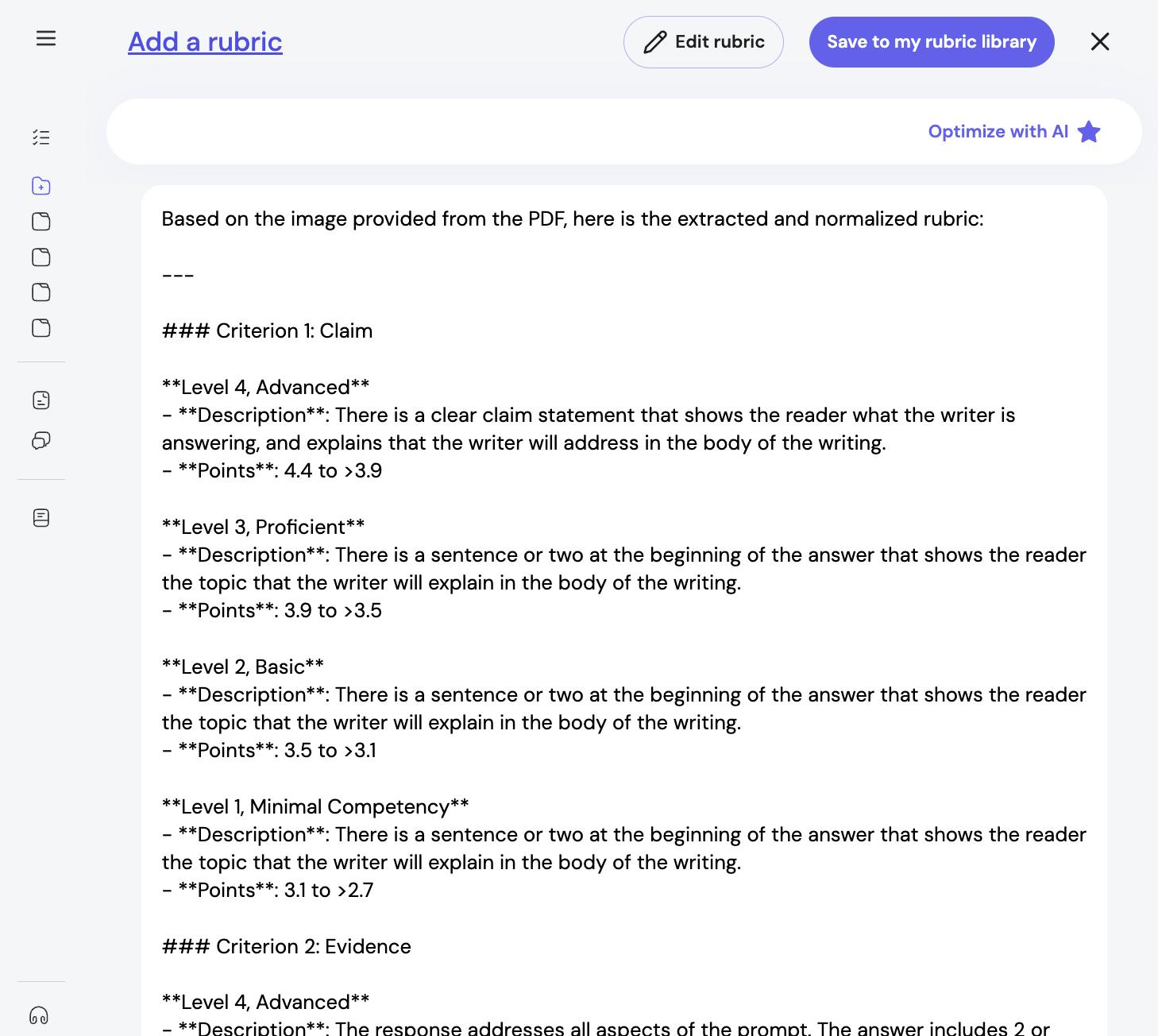
You can now do all of that directly inside the rubric library. When you upload, import, or create a rubric, TA39 can extract it, help structure it, and let you use Optimize with AI as part of the same flow.
This feature is now available in TA39.
What You Can Now Do
You can now:
- upload or import an existing rubric directly into the rubric library
- create a new rubric from scratch in the same place
- review the extracted rubric inside TA39
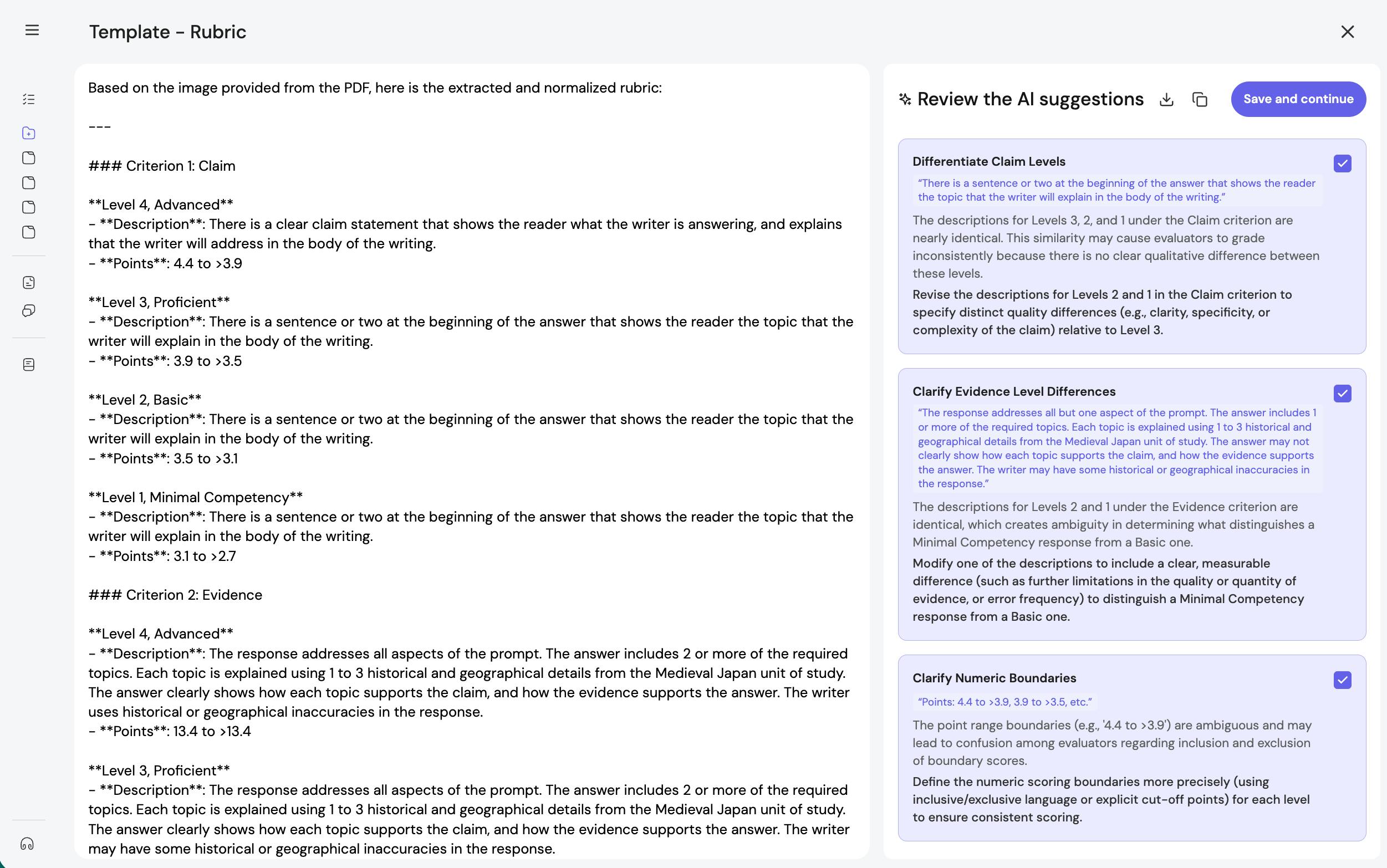
- use Optimize with AI to improve clarity and consistency
- compare the original and revised versions
- save the version you want to use
Why We Made This Change
We heard a version of the same thing from teachers again and again:
- “I already have a rubric.”
- “I do not want to use a separate utility first.”
- “I want to work on the rubric while I am setting it up.”
- “If something needs improvement, I want that built into the main flow.”
That is the main change here.
Instead of sending teachers to a separate rubric-conversion step, TA39 now supports that work directly in the rubric library UI.
What “Optimize with AI” Is For
Optimize with AI is designed for rubrics that are already mostly usable, but could be clearer or easier to apply consistently.
For example, it can help when:
- performance levels sound too similar
- criteria overlap more than intended
- score ranges are hard to interpret
- wording is understandable to a teacher, but not yet clear enough for consistent AI-supported use
The goal is not to replace your judgment. It is to help you improve the rubric you already have without leaving the workflow you are in.
How to Get Started
- Open the rubric library
- Add a rubric by uploading, importing, or creating one
- Review the extracted rubric
- Click Optimize with AI
- Compare the original and optimized versions
- Edit if needed, then save
Further Reading
If you want help getting the most out of this workflow, these posts are a good place to start:
- Rubrics formatting guidelines for TA39
- From good enough to clear and fair: upgrading rubrics for AI support
The key improvement is not just that TA39 can optimize rubrics with AI.
It is that rubric import, review, optimization, and saving now happen together in the place teachers already expect to manage rubrics.
That makes the workflow simpler, more visible, and easier to use.