Feedback templates have been one of the most powerful parts of TA39.
They shape how feedback sounds, how it is structured, how much detail students receive, and what kind of guidance the AI provides. But for many teachers, writing a good template still meant starting from a blank page and translating their feedback instincts into a format the system could follow.
The new Feedback Template Builder is designed to make that easier.
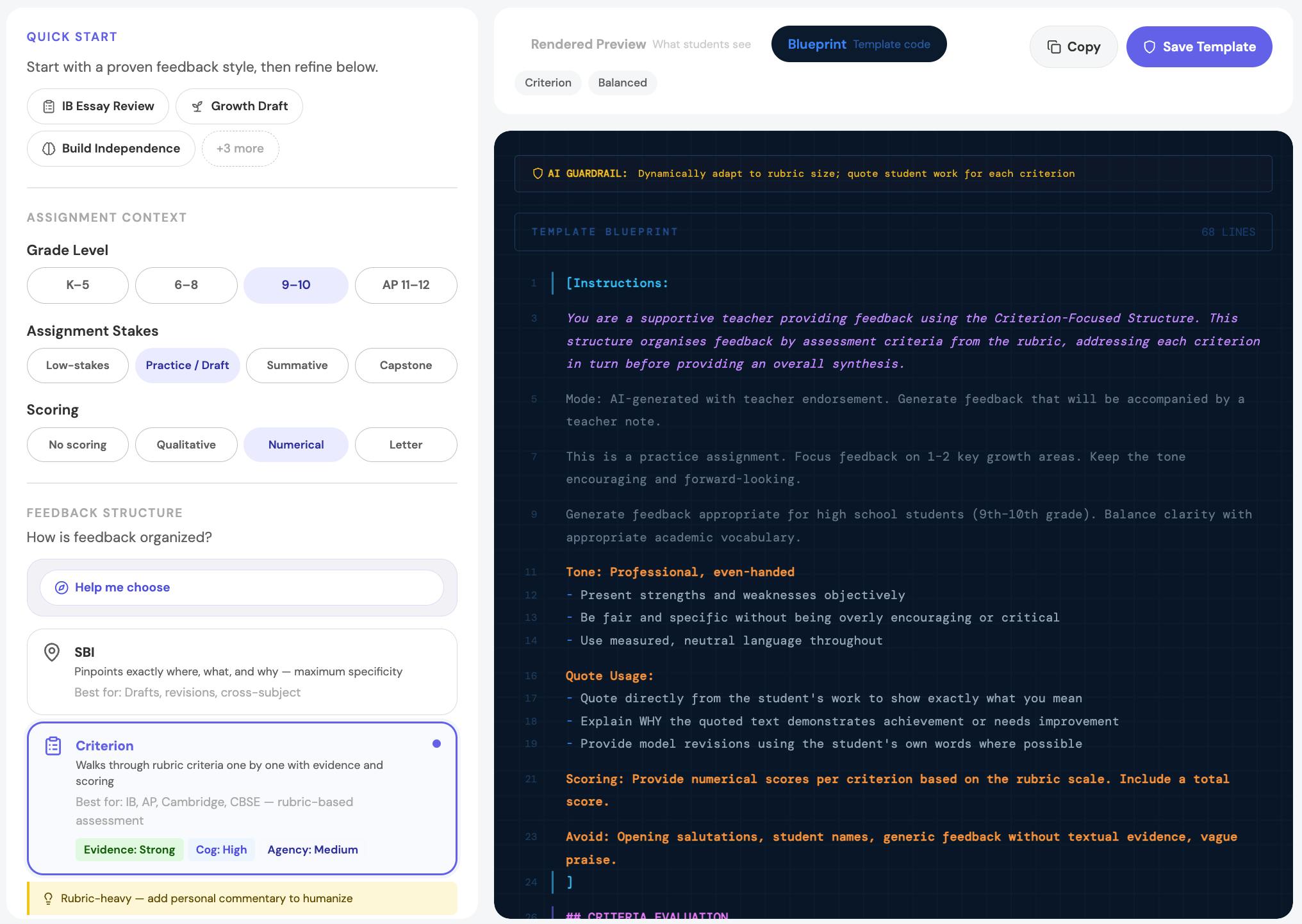
Instead of asking you to write everything from scratch, the builder starts with the kinds of decisions teachers already make: what kind of assignment this is, how the feedback should sound, how it should be organized, and how visible you want to be in the final response.
With the new builder, you can:
- start from a preset
- adjust tone, detail, scoring, and sections
- shape teacher presence and student-facing voice
- decide how much is AI and how much is you
- preview what students will actually receive
- and inspect the underlying blueprint when you want more control
In other words, it is now much easier to build a feedback template that reflects your classroom, your students, and your own feedback style.
If you want a full walkthrough, we have a detailed guide:
That guide explains how to get started, how to shape the structure and tone of your feedback, and how to refine templates over time.
We hope this makes one of TA39’s most important features easier to use — and easier to trust.